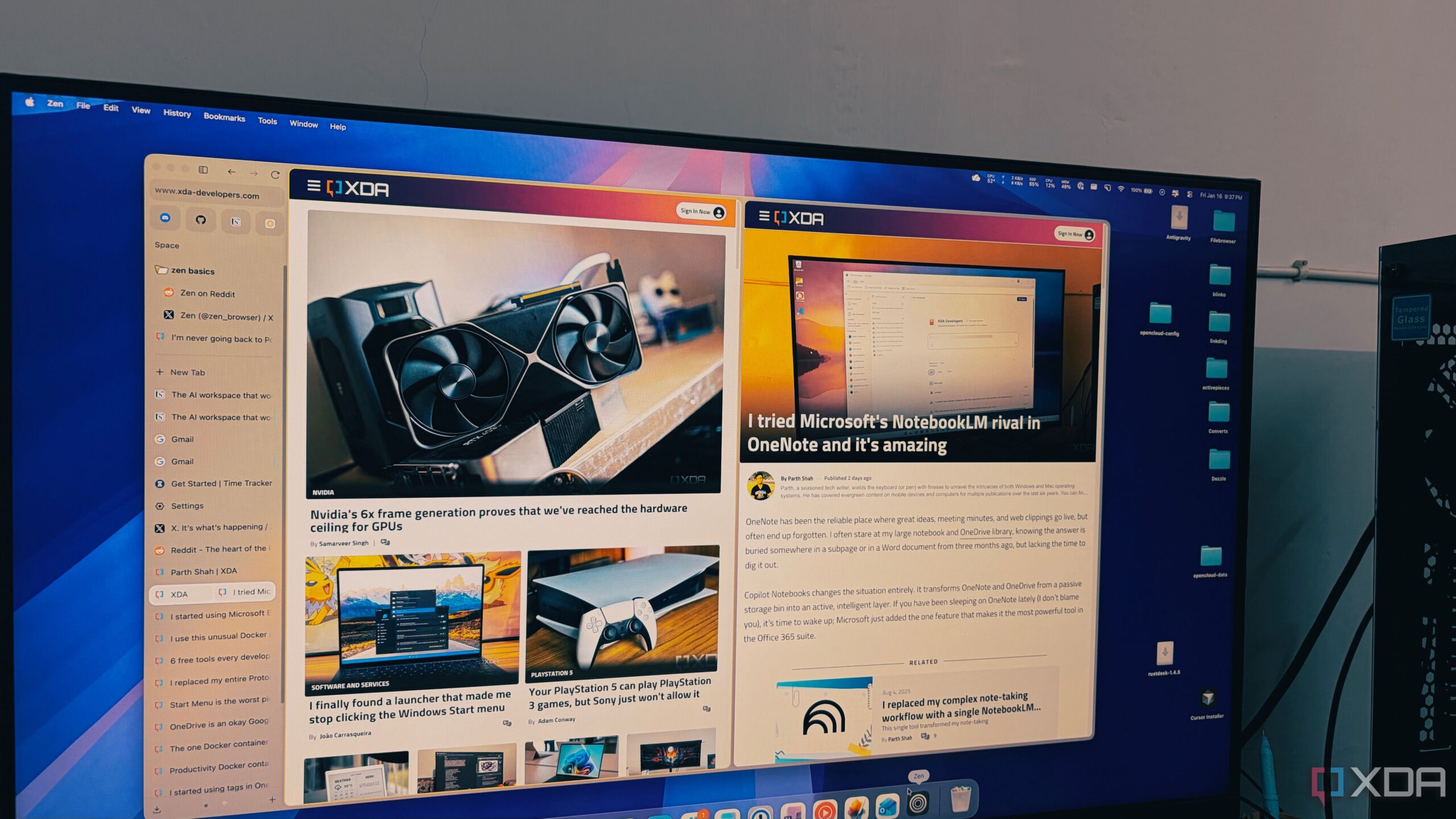
The launch of the Zen Browser is reshaping how users manage multiple browser tabs, providing a streamlined alternative to traditional options like Google Chrome. Designed specifically for individuals who often juggle numerous tabs—sometimes exceeding fifty—Zen Browser effectively addresses the challenges associated with tab overload, offering a minimalist yet highly functional interface.
Innovative Tab Management Solutions
Zen Browser’s approach marks a significant departure from the conventional tab management style prevalent in most browsers. Utilizing the Firefox foundation, Zen embraces a vertical tab layout that aligns better with natural reading patterns. Users can maintain over one hundred tabs without sacrificing visibility or organization, allowing full titles to remain readable. This contrasts sharply with the horizontal tab strip in Chrome, which can reduce favicons to nearly indistinguishable sizes when overloaded.
The vertical orientation transforms the user experience, turning the tab list into an intuitive directory. As one user noted, the vertical tabs act as a “live table of contents,” eliminating the need for memory games to locate specific research pages. Furthermore, Zen’s sidebar can auto-hide, providing an uninterrupted browsing experience that prioritizes screen real estate.
Enhanced Productivity Features
In addition to its unique tab management, Zen Browser introduces features designed to enhance productivity. The “Essentials” function allows users to keep vital applications, such as WhatsApp, Gmail, and Slack, easily accessible in a dedicated section of the sidebar, ensuring that these tools do not become lost in a sea of research tabs.
Workspaces enable users to organize their browsing activities more efficiently. For example, users can create distinct environments for different tasks, such as a writing workspace or a personal finance area. This separation helps to prevent distractions and improves focus, catering to the needs of users who manage multiple projects concurrently.
Zen Browser also leverages Firefox’s container technology, which allows users to maintain separate sessions for different accounts. This feature is particularly beneficial for those managing work and personal accounts simultaneously, as it keeps data isolated while providing easy access to each account’s information.
Performance and User Experience
Performance is another area where Zen Browser stands out. Unlike other browsers that may become sluggish with numerous background processes, Zen’s Gecko engine maintains a responsive and efficient experience, even under heavy loads. Users report that the browser remains smooth and the device quiet, a marked improvement over the heavy resource demands often experienced with Chromium-based browsers.
With its emphasis on high productivity and a minimalist aesthetic, Zen Browser appeals to users seeking a more organized and efficient browsing experience. By addressing the common frustrations associated with tab management, it positions itself as a viable alternative to the dominant players in the browser market.
In a landscape crowded with Chromium clones, Zen Browser is redefining how individuals approach their online activities. As it continues to develop and gain user feedback, it promises a refreshing change for those overwhelmed by traditional browser layouts. For anyone who manages extensive online research or relies on multiple applications daily, Zen Browser may just be the innovative solution they have been searching for.